
Speechify Review: Unveiling the Pros and Cons of the Text-to-Speech App
With the increasing demand for efficiency and accessibility in how we consume written content, text-to-speech apps like Speechify have surged in popularity. Many of us find ourselves needing to digest information while on the go, or simply prefer listening over reading. With a user-friendly interface and the promise of transforming any written text into a natural-sounding voice, Speechify aims to cater to a diverse range of needs, from assisting those with reading disabilities to enhancing the productivity of professionals.

Our exploration of Speechify will delve into its features and offerings, aiming to establish whether it lives up to its reputation. Comparing its free and premium versions, we’ll scrutinize the ease of getting started and how it benefits different user groups, such as students. Accessibility is a key consideration; therefore, we’ll examine how Speechify performs across various devices and platforms, and how it manages content for its users.
Key Takeaways
- Speechify offers text-to-speech capabilities catering to a range of users’ needs.
- It provides a user-friendly interface and is accessible across multiple platforms.
- The app includes both free and premium versions to accommodate different user preferences.
Comprehensive Overview of Speechify
In this section, we’re exploring Speechify, an innovative text-to-speech platform designed to bring written text to life through speech. From its roots to its core functions, we’ll discover why it stands out for its users.
What Is Speechify?
Speechify is a digital tool that transforms written text into spoken words using advanced text-to-speech technology. It caters to a wide variety of users, including those who face challenges with reading, like individuals with dyslexia, as well as professionals and students who seek an efficient way to consume written content.
The Origin Story of Speechify
The inception of Speechify traces back to its founder, Cliff Weitzman. Struggling with dyslexia himself, Weitzman developed Speechify with the intention of helping people who face reading difficulties. It began as a personal project and has since evolved into a widely-used application that aids users in reading books, documents, emails, and more.
Core Functions of Speechify
Text Conversion: Speechify allows users to convert text from various sources into spoken words.

- Supported Formats: It supports a range of formats including PDFs, Word documents, emails, and even photos of text.
Customization: The app offers a high degree of customization for a personalized listening experience.
- Voice & Speed Options: Users can choose from numerous voice types and adjust the speech speed to suit their preferences.
Accessibility: Beyond serving the general population, Speechify enhances accessibility for individuals with reading-related challenges, such as dyslexia, making it a valuable tool in promoting reading equality and learning efficiency.
Getting Started with Speechify

When we begin with Speechify, we’ll find that the initial setup is straightforward and its features are tailored to improve our reading experience and productivity.
Initial Setup
To get started with the Speechify app, follow these steps:


![LLC Beginner's Guide [All-in-1]: Everything on How to Start, Run,](https://m.media-amazon.com/images/I/41o3X44QPLL._SL500_.jpg)
- Download and Install: First, we download the Speechify app from the preferred app store or the Speechify website.
- Create an Account: We set up our account using an email address or social media login for easy access.
- Choose Settings: Tailor the app to our liking by selecting our preferred voices, reading speeds, and text languages in the settings.
How to Use Speechify Effectively
To use Speechify to its fullest potential:
- Upload Documents or Photos: We can upload text files or capture photos of physical pages directly into the app to convert them into speech.
- Listen and Adjust: As we listen, we can experiment with different voices and adjust the speed to suit our understanding or preference.
- Accessibility Features: Use Speechify’s accessibility options which can be a great help, especially for those of us with dyslexia, as mentioned in their promotional material.
By following these steps and tips, we can quickly become adept at using Speechify for a more enriched listening and learning experience.
Speechify for Students
We know that as students, finding the right tools to aid in studying and managing coursework is crucial. Speechify stands out as a supportive companion, especially for those of us juggling multiple assignments or dealing with learning difficulties like dyslexia or ADHD.
Benefits for Learning
Accessibility: With Speechify, students with visual impairments or learning disorders such as dyslexia can transform text into speech, facilitating easier access to educational material.
Efficiency: It also allows us to learn on the go. Whether we’re commuting or grabbing a quick lunch, Speechify reads out our materials, making it easier to fit study time into a busy uni schedule.
Features Tailored for Students
- High-Quality Voices: Students can enjoy a variety of high-quality premium voices that make listening to course materials more engaging and closer to a natural reading experience.
- Text-to-Speech Editor: We can use Speechify to transform written text—from PDFs to scanned notes—into spoken words, allowing for multi-sensory learning which is particularly beneficial for students with ADHD.
- Speed Control: The option to adjust the reading speed up to 4.5x enables us to review notes and readings faster, ultimately saving time and improving our efficiency when studying.
Platform Availability and Integrations
When we’re considering a text-to-speech service, we value how easily it can fit into our daily lives. The availability of the service on various platforms and its ability to integrate with other tools can significantly enhance our experience. Here’s a closer look at how Speechify delivers on these fronts.
Desktop and Mobile Apps
On your Computer: Speechify has us covered with applications that run smoothly on both Mac and Windows systems. This means whether we’re working from our home office or a coffee shop, we can access Speechify’s features without a hitch.
On the Go: For those of us who are always on the move, Speechify’s mobile app is available for both iOS and Android devices. This versatility ensures we can listen to documents or books while commuting or during our workout sessions, turning downtime into productive time.
Browser Extensions and Integrations
Chrome Extension: One of the handiest features we love is the Speechify Chrome extension. It lets us convert web text to audio without leaving our browser, making it a cinch to listen to articles or emails while we multitask.
Other Integrations: Although the focus is mainly on browser extensions, we should note that Speechify integrates well with various web apps. This seamless integration allows us to streamline our workflow, regardless of which web app we’re using.
By addressing both desktop and mobile needs, as well as offering user-friendly browser extensions, Speechify ensures that we can have our texts read aloud to us virtually anywhere and anytime, enhancing our productivity and learning.
Speechify Premium Versus Free Version
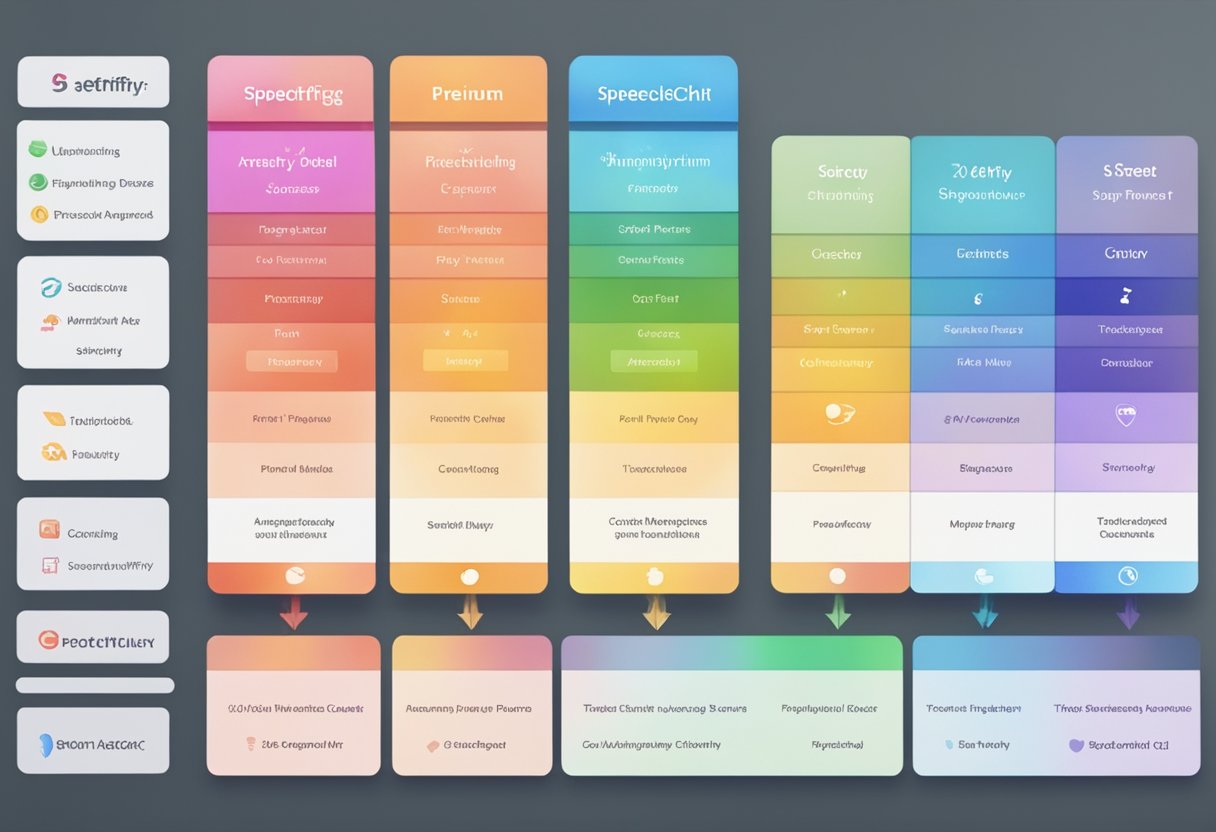
In our exploration of Speechify, we’ve discovered notable differences between the free and premium offerings that cater to various needs and preferences.
Free Features
The free version of Speechify includes basic functionality that allows us to experience text-to-speech technology effectively. We can access a selection of natural-sounding voices and listen at standard speeds. This option is excellent for us to get started with text-to-speech without any investment.
Premium Benefits
Upgrading to the Speechify premium plan enhances our experience considerably. It unlocks over 30 high-quality voices across 20 different languages and the ability to listen at much quicker speed—up to 5 times faster. Additionally, the premium subscription includes valuable features like advanced skipping, importing options, and the ability to scan and listen to any printed text.
Speechify Pricing
When it comes to cost, Speechify premium is reasonably priced considering the breadth of features it offers. We’re looking at $139 per year for the premium subscription. To ensure that we are making the right investment, Speechify provides us with a 3-day free trial to test the premium features thoroughly before committing to the annual fee.
Speechify’s Text-to-Speech Technology
In our exploration of Speechify, we’ve discovered that one of its standout features is the robust text-to-speech technology it employs. This technology serves as a core component for users looking to convert written content into spoken words, spanning a diverse array of uses from improving accessibility to enhancing productivity.
Natural Reading Voices
Speechify boasts a selection of over 100 AI voices that offer a lifelike listening experience. These natural reading voices emerge from advanced AI technology that produces speech almost indistinguishable from human narrators. With premium voices available, users can enjoy enhanced auditory experiences that make lengthy reading sessions more enjoyable and less fatiguing.
Voice Quality: Users can access high-quality, natural-sounding speech which facilitates better comprehension and retention.
Use Cases: Perfect for those who prefer listening over reading, the text-to-speech feature can transform any text into speech, including books, documents, and web pages.
Language and Accent Options
Our diverse global community necessitates a text-to-speech service that supports multiple languages and accents. Speechify answers the call by providing AI voices in 50 languages, including widely spoken ones like English, Spanish, and German.
English Accents: The platform offers a variety of English accents, empowering users to select the voice that resonates best with them or their audience.
Spanish and German: In addition to English, users can engage with Spanish and German language texts, experiencing the nuances and pronunciation unique to each language.
By utilizing these language options, we can cater to a global audience, enabling a more inclusive environment where language boundaries are significantly reduced.
Practical Use Cases
In our review, we’ve identified several practical use cases for Speechify that cater to the dynamic needs of users from different walks of life. From enhancing productivity to providing accessibility options, this text-to-speech app has a lot to offer.
For Business Professionals
For business professionals, Speechify can be an excellent tool to boost productivity. We often have a multitude of documents to read and review, and listening to them while multitasking can save precious time. By turning written content into speech, it reduces the likelihood of skipping over errors when proofreading. Through a Speechify review, we learned that users appreciate being able to listen to reports and emails while focusing on other tasks.
For the Visually Impaired
We find that Speechify is a valuable aid for the visually impaired, making digital text more accessible. By converting text to audio, it allows users who have difficulty seeing to “read” books, websites, and documents with ease. This feature is crucial for inclusivity and independence in accessing written content, as highlighted by the comparison between Speechify and other text-to-speech tools on Unite.AI.
Busy Lifestyle Accommodations
For those with a busy lifestyle, including students and busy individuals who are always on the go, Speechify provides the convenience of converting reading material into audiobooks. This flexibility means you can listen to your required reading while commuting, exercising, or doing household chores. Additionally, for people with dyslexia, Speechify offers a support system by reading out text, which can be far less challenging than traditional reading methods, as stated in reviews like the one on Gradehacker.
User Interface and Experience
In our exploration of Speechify, we’ve found the platform to have a user-friendly interface, which simplifies the way we interact with the app. It’s a clean and approachable design that supports an enjoyable user experience.
Ease of Navigation
The Speechify interface stands out for its lively yet simple design. We appreciate how its desktop version avoids clutter, featuring just a few dashboards and menus that guide us intuitively through the options. Accessing different features is straightforward; for instance, “My Library” quickly becomes a central hub for our text-to-speech needs.
Customizable Settings and Controls
Navigating to the settings portion of the app, we’re greeted with a variety of reading voices, which we can customize according to our preferences. The controls are laid out in a manner that makes adjustments to speed and voice straightforward, without overwhelming us with excessive options. This level of customization contributes significantly to our positive user experience.
Content Management and Creation
In our review, we’ve discovered that content management and creation are at the heart of Speechify’s capabilities, delivering a smooth experience when it comes to organizing and transforming our content into speech.
Library and Document Management
Our library within Speechify is a central hub where we manage all our documents. We can organize, search, and access various files with ease. With the platform’s library features, we’ve found our document management to be efficient and user-friendly. This is critical for us, especially when handling a large number of files.
Content Upload and Conversion
When it comes to content upload, Speechify’s system is robust. We can upload documents, images, and videos and the platform effortlessly converts them into an audio format. For example, scanning a book page and utilizing optical character recognition (OCR) technology turns printed text into a digital format that Speechify can then read aloud. The conversion process maintains the original formatting, making sure that we lose none of the context. This feature particularly shines for users who rely on audio formats for consuming content.
Support and Customer Care
When it comes to providing assistance to our users, we ensure that our support team is easy to reach, and we maintain straightforward policies on refunds and cancellations to keep our users confident and informed.
Accessibility of Customer Support
Our customer support is designed to be highly accessible. We offer several channels through which users can contact us, ensuring that they can receive help in whatever way is most convenient for them. Here’s how we can be reached:
- Email: Our support team is just an email away and aims to respond promptly.
- Help Center: For self-service, our Help Center contains a wide range of frequently asked questions and guides.
- Live Chat: Available directly on our website for quick and real-time assistance.
- Social Media: We monitor our social media platforms to address any queries posted by our users.
Refund and Cancellation Policies
We put a clear emphasis on fair refund and cancellation practices:
- Refund Requests: If a user is not satisfied and wishes to apply for a refund, they may contact our customer service representative within a specified timeframe as indicated in our Terms of Service.
- Cancellation Process: Cancelling a subscription is straightforward. Users can directly manage their subscription settings or get in touch with our support team for guidance.
Advanced Features and Offerings
When you opt for Speechify, you’re not just getting another text-to-speech tool; we’re providing you with a suite of advanced premium features and cutting-edge voice technology that truly enhance your listening experience. Let’s dive into what sets our Premium option apart and the innovative AI that drives it.
In-Depth Look at Premium Features
With Speechify Premium, you gain access to an array of powerful features designed to transform written text into a more accessible and convenient audio format. Here’s what our premium users enjoy:
- HD Voices: Crisp and clear enhanced voices that make listening for long periods effortless and enjoyable.
- Listen Offline: The convenience of saving texts to listen to them without an internet connection.
- Customizable Listening Speed: Adjust how fast or slow you want your content read back to you.
- Voiceover Projects: Create narrations for your videos and presentations with our high-quality voiceover capabilities.
Speechify’s AI and Voice Technology
Our AI Voice Studio and AI Avatars are the backbone of the Speechify experience. Here’s how they contribute to our service:
- AI-powered Selection: Choose from a diverse range of AI-generated voices, finding the perfect match for any type of content.
- Natural Expression: Each voice is designed to convey emotion and emphasis, mirroring human-like intonation and rhythm for a more engaging listening adventure.
- Custom AI Avatars: For those seeking personalized voice engagement, create your very own AI avatar that becomes the signature voice of your content.
Community and Ecosystem
In our Speechify review, it’s crucial to explore the vibrant community engagement and the growth of its ecosystem through strategic partnerships and endorsements.
Partnerships and Sponsorships
We are excited to share that Speechify has cultivated noteworthy partnerships to expand its reach and add value for users. Renowned personalities have put their trust in Speechify, including celebrities like Gwyneth Paltrow and Snoop Dogg. Their sponsorship not only shines a spotlight on Speechify but also shows a commitment to improving accessibility in literacy through technology.
User Community and Testimonials
Our user community’s experience with Speechify is at the heart of the platform’s success. We’ve gathered testimonials highlighting how Speechify’s text-to-speech feature enhances daily life. For instance, students report that listening to their study material via Speechify has transformed their learning experience. Additionally, high-profile figures, such as Barack Obama, have been mentioned in relation to tech-savvy solutions like Speechify, which adds a layer of credibility and trust among potential users. Users have expressed their satisfaction on platforms such as Trustpilot, where the app enjoys numerous 5-star reviews for its user-friendly text-to-speech services.
Performance and Accessibility
When we talk about text-to-speech applications like Speechify, two critical aspects we consider are how naturally and quickly it converts text into speech, and how accessible this makes content for us. We’re looking for a balance between a comfortable reading speed and voice quality that doesn’t sacrifice accuracy.
Reading Speed and Voice Quality
With Speechify, we can adjust the reading speed to match our personal preference, making it versatile for different content consumption contexts. Whether we’re looking to power through a book at 500 words per minute (wpm) or absorb material slowly at 150 wpm, Speechify provides us that flexibility. In terms of voice quality, we’re pleased with the range of natural-sounding voices available, ensuring that the listening experience remains clean and engaging.
Error Handling and Accuracy
Nobody’s perfect, and every now and then, Speechify may mispronounce a word or stumble slightly, which is common in text-to-speech software. However, our experience shows that the error rate is low, and Speechify handles mistakes gracefully. This means that if we encounter a hiccup, it doesn’t interrupt the overall flow of reading. Speechify doesn’t provide an explicit accuracy score, but our interactions suggest it accurately converts text into speech with high reliability.
Learning and Cognitive Benefits
We know that leveraging tools like Speechify can revolutionize the way we learn and process information. Our brains can retain information through various methods, and the auditory component of learning is crucial for many of us. Let’s explore how Speechify can aid in retention and comprehension, as well as provide remarkable support for those with special needs.
Retention and Comprehension
Audiobooks and podcasts have become a popular way to absorb knowledge without the need for visual cues. When we listen to content using Speechify, we engage different parts of our brain that are responsible for auditory processing. This can enhance our ability to remember information and ultimately improve our understanding of the material. It’s akin to having a personal reading assistant, which especially helps us when we’re multitasking or on-the-go.
Support for Special Needs
For individuals with dyslexia or ADHD, reading traditional text can be challenging, often leading to frustration and decreased motivation. Speechify serves as a valuable tool for us, transforming written words into spoken dialogue. This shift from reading to listening can significantly reduce the cognitive load, making it much easier for us to grasp and retain information. Additionally, the customization features allow us to adjust the reading speed to match our personal processing pace, a benefit not usually available with typical reading materials.
Speechify in Multilingual Contexts
When we explore the capabilities of Speechify, we find that its multilingual support and instant translation features stand out, especially for users who engage with multiple languages on a daily basis.
Multi-Language Support
We can confidently say that Speechify impresses with its support for over 30 languages. This includes commonly spoken languages such as French, Italian, and more region-specific ones like Polish. What this means for us is that we’re not restricted to just English — we can listen to text in a variety of languages.
- Languages Available:
- French
- Portuguese
- Chinese
- Italian
- Polish
- …and many more.
Instant Translation Features
The app’s instant translation abilities are yet another feature that we find incredibly valuable. Suppose you’re reading an Italian document; Speechify can translate and read it out to you in English or any other available language, which is especially handy if you’re not fluent in the original language of the text. It’s like having a personal translator by our side at all times.
- Translation Utility:
- Instantaneous: No waiting needed.
- User-Friendly: Easy to switch between languages.
- Languages for Translation: Including but not limited to French, Portuguese, Chinese, etc.
By supporting multiple languages and providing instant translation, Speechify demonstrates its commitment to inclusivity and accessibility in digital communication.
Financial Considerations
When we look at Speechify, our primary concern is understanding its financial impact. Let’s explore the cost involved and examine how it stacks up against its competitors in terms of value.
Cost and Value Proposition
Speechify offers a range of pricing options to fit different user needs. The app has both free and premium subscriptions, providing flexibility for those looking to test it out before making a financial commitment. With the premium subscription, users gain access to advanced features such as higher-quality voices and offline listening.
- Free version: Limited features but good for trying out the basics.
- Premium version: Monthly and annual subscription plans with advanced features.
Regarding value proposition, the app positions itself as an invaluable tool for various user groups, including students and professionals, by offering a hands-free reading experience. This can translate to time savings and increased productivity, making the investment in Speechify potentially valuable.
Comparing Speechify to Competing Apps
In terms of cost, Speechify’s pricing is competitive when compared against other text-to-speech apps in the market. While some apps may offer lower priced options, it’s essential to consider the range of voices available and any additional features that enhance the listening experience.
- Competitor 1: May have a lower subscription fee but offers fewer voice options.
- Competitor 2: Priced similarly but does not provide the same quality of customer service as Speechify.
It’s also crucial to consider the refund policy, which can add value to the overall proposition. Speechify users have the reassurance of customer support for any billing concerns. Comparatively, not all apps may offer a straightforward refund policy, which can be a deciding factor for many users when choosing an app.
In our assessment, it’s evident that Speechify manages to strike a balance between cost and value, securing a compelling spot in the marketplace for text-to-speech applications.
Future of Speechify
As we continue to innovate, the future of Speechify appears filled with exciting developments and a strong potential to shape the text-to-speech industry.
Upcoming Features and Roadmap
In the near term, we are focused on enhancing our app with advanced language models and more natural voice options to elevate the user experience. Our roadmap includes integration of cutting-edge speech synthesis technology from research conducted at renowned institutions like Brown University, where the concept for Speechify was initially developed. Expect to see a seamless blend of AI learning capabilities that could personalize audio playback based on user preferences, as well as expansion into new languages.
Impact on Text-to-Speech Industry
Our presence as a startup is set to have a profound impact on the text-to-speech technology industry. We’re not just creating a product; we’re nurturing a community where feedback directly influences our growth path. Our aim is to set a precedent for accessibility, pushing for a future where digital content is universally accessible, especially for those with learning disabilities or visual impairments. By continuously refining and expanding our offerings, Speechify is committed to remaining at the forefront of the industry and setting new standards for what text-to-speech apps can achieve.
Frequently Asked Questions
In our FAQs, we aim to address some of the most important inquiries you might have about Speechify, from its unique features to what the community thinks.
How do Speechify’s text-to-speech features compare to competitors?
We’ve noticed that Speechify offers a user-friendly interface and high-quality voice options, distinguishing itself from many alternatives. The range of voices and languages is extensive, allowing for a personalized listening experience.
What are users saying about Speechify on platforms like Reddit?
On platforms like Reddit, users often praise Speechify for its convenience and ease of use, though some have expressed desires for additional customization options.
Can Speechify be used for listening to audiobooks effectively?
Absolutely, Speechify can efficiently turn any text into speech, making it possible for us to listen to audiobooks or any text-based material on the go.
Are there any costs associated with using the full version of Speechify?
Yes, while Speechify does have a free version, the full version with advanced features comes at a cost which is generally considered reasonable for the value provided.
What are the privacy and security measures taken by Speechify?
Speechify emphasizes user privacy and security, employing measures to protect our data, though specifics about their protocols are best found on their official resources.
What are some common limitations users might face while using Speechify?
Some users might encounter limitations in voice customization in the free version, or find that the inflection and tone of the AI voices sometimes lack the nuance of a human reader.


